Under 5 seconds to check in
Four ways to check in. Zero bottlenecks.
NFC wallet tap, QR code scan, mag stripe swipe, or facial recognition. Patients check in their way, and your office knows exactly where everyone is in real time.
Purpose-built kiosk hardware
Sleek, durable check-in kiosks designed specifically for chiropractic offices.
Tap to check in
NFC ready
7" Compact Kiosk
Perfect for tight spaces and front-desk mounting.
- NFC + QR code reader built in
- Mag stripe card reader
- Compact footprint for any counter
- Power over Ethernet (PoE) option
Welcome back
Face recognized
10" Pro Kiosk
Full-featured with camera for facial recognition.
- All 4 check-in methods supported
- HD camera for facial recognition
- Mag stripe card reader
- Larger display for forms and messaging
SpineIO Check-in
iPad App
Apple iPad
Use your own iPad as a check-in kiosk with the SpineIO app.
- NFC wallet tap (Apple/Google Pay)
- QR code check-in
- Facial recognition via front camera
- Use hardware you already own
Mag stripe requires dedicated kiosk hardware.
SpineIO Check-in, running on iPad
QR code, NFC tap, facial recognition, or name search. No additional hardware needed. Just download the app and put it on a stand.
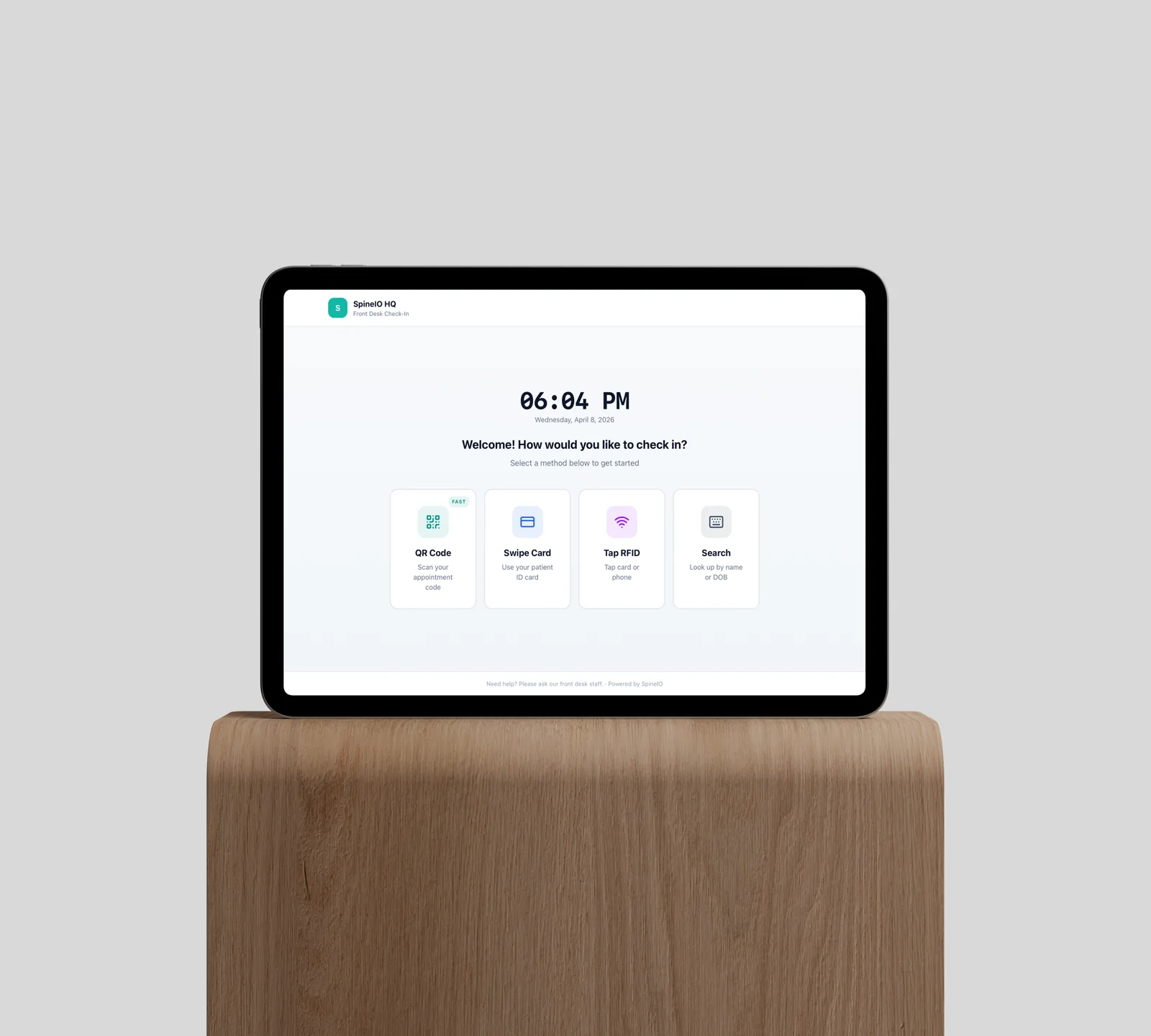
Multiple check-in methods
One kiosk, four ways to arrive
Every patient has a preference. SpineIO supports them all — so check-in takes seconds, not minutes.
Apple / Google Wallet
Tap their phone on the kiosk. NFC reads the wallet pass and checks them in instantly.
How it works
Patient adds pass during onboarding. A simple tap on arrival does the rest.
QR Code
The kiosk displays a unique QR code. Patient scans it with their phone camera.
How it works
Code refreshes each visit. Scanning opens a one-tap confirm screen on their device.
Mag Stripe Swipe
Patients swipe their membership or ID card through the built-in reader.
How it works
Any mag stripe card can be linked to a patient record during their first visit.
Facial Recognition
Walk up and be recognized. The kiosk camera matches their face and checks them in.
How it works
Opt-in during onboarding. Encrypted templates stored locally on the kiosk.
Smart Office
Every room, every patient, one view
Smart Office gives you a real-time map of your entire practice. See which rooms are occupied, who's waiting, and which providers are ready — all from a single dashboard.
- Room status updates automatically as patients move through the office
- See which provider is in which room with real-time assignment
- Time-in-room tracking alerts staff when patients have been waiting too long
- Push notifications to providers when their next patient is roomed
From arrival to treatment in under 2 minutes
Every step is tracked. Every handoff is automatic. No clipboards, no shouting down the hall.
Arrive
Patient walks into the office and approaches the kiosk. No need to talk to anyone or sign a clipboard.
Check in
Tap, scan, swipe, or smile. The kiosk confirms their identity and marks them as arrived in under 5 seconds.
Route to room
Smart Office assigns the next available room and displays directions on the kiosk or a room display screen.
Provider notified
The assigned provider gets a push notification with the patient name, room number, and visit reason.
Room display screens
Mount a SpineIO kiosk or iPad outside each treatment room. It shows the current patient, wait time, and room status so providers always know what's next without checking a computer.
Room 1
Office Dashboard
Bring your own large display for the front desk or back office. A compact SpineIO media device connects via HDMI and streams a real-time dashboard of every patient, room, and provider in your office.
Live Dashboard
Connected features
Every module shares one patient record. Nothing to sync, nothing to re-enter.
Make check-in the best part of the visit.
Join the waitlist and bring touchless, instant check-in to your practice.